
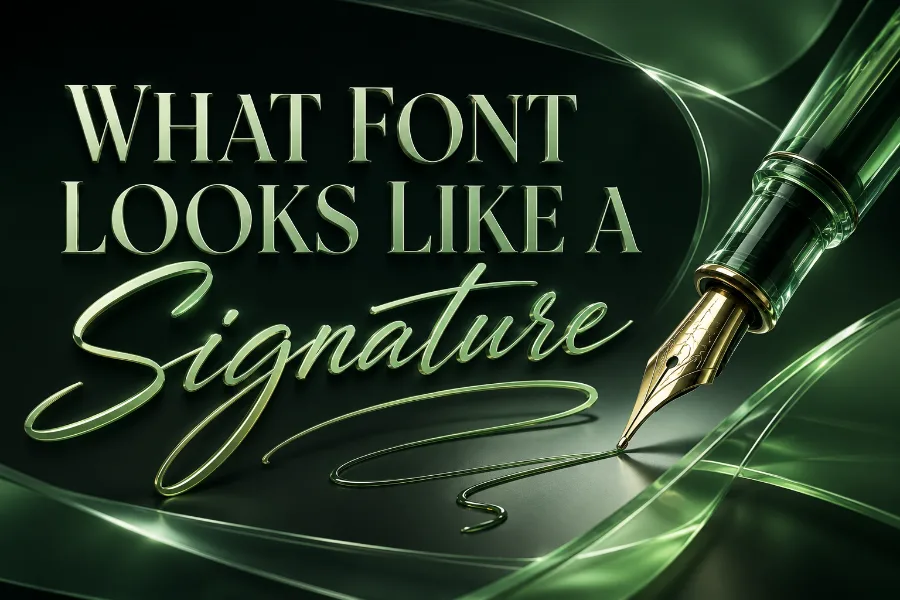
What font looks like a signature is a common question when you want text to feel personal, polished, and handwritten without scanning a real signature. The best choices are usually script, cursive, calligraphy, monoline, or brush-style fonts because they mimic the natural rhythm of handwriting. Whether you are designing a logo, email signature, wedding card, watermark, or digital document, the right signature font should look elegant without becoming hard to read.
A good signature-style font does more than look pretty. It gives your name, brand, or message a sense of identity, movement, and human character. This guide explains which font styles look most like a signature, how to choose them, where to use them, and what mistakes to avoid before you download or apply one.
What Font Looks Like A Signature In Real Use?
A font that looks like a signature usually has connected letters, flowing strokes, uneven curves, and a handwritten rhythm that feels natural rather than mechanical. It may look like cursive writing, modern calligraphy, brush lettering, or a quick handwritten name, depending on the mood you want. The main goal is to make typed text look like it was written by hand while still keeping enough clarity for readers.
Signature fonts are not all the same, so you should choose based on purpose instead of appearance alone. A legal-looking digital signature may need a simple cursive style, while a beauty brand logo may need a thin, elegant script with graceful swashes. A practical tool can help you test names and phrases quickly, and a font generator that create stylish text immediately is useful when you want to compare decorative text styles before choosing a final direction.
The strongest signature fonts usually share a few visual traits. They have smooth joins between letters, slight stroke contrast, and enough spacing to stop the words from turning into tangled lines. If the font looks beautiful at a large size but becomes unreadable in an email footer or small logo, it is not the right choice for serious use.
Why Signature Fonts Feel Personal And Premium
Signature fonts feel personal because they imitate the marks people naturally make when writing their names. A signature is tied to identity, approval, authorship, and trust, so a font that resembles a signature can make a design feel more human. That is why these fonts often appear in personal brands, photography watermarks, coaching businesses, fashion labels, wedding stationery, and luxury packaging.
The premium feeling comes from movement and imperfection. Unlike plain sans-serif fonts, signature fonts often have irregular strokes, extended tails, and custom-looking curves that suggest handcraft. This makes them especially useful when you want a design to feel boutique, artistic, romantic, or exclusive.
However, the same personal quality can become a weakness when the font is overused. A highly decorative signature font may look stylish on a logo but messy in a full paragraph. You should use signature fonts as accents, names, headings, or short phrases, then pair them with a clean font for the rest of the message.
Best Font Styles That Look Like A Signature
The most reliable signature-style fonts usually fall into five groups: cursive, calligraphy, brush script, monoline script, and handwritten fonts. Cursive fonts often look close to traditional penmanship because the letters connect in a smooth, flowing way. Calligraphy fonts feel more elegant and formal because they often include stroke contrast, graceful loops, and decorative endings.
Brush script fonts look bolder and more expressive, so they work well for creative logos, apparel designs, posters, and social media graphics. Monoline signature fonts use consistent stroke thickness, which makes them cleaner, modern, and easier to read than dramatic calligraphy styles. Handwritten signature fonts look more casual and realistic, especially when they include uneven baselines or natural-looking letter spacing.
When choosing between these styles, think about how the font will be used and what emotion it should create. Readers who enjoy typography often compare related font categories, and an article on what font does gmail use can help explain why clean interface fonts work differently from decorative signature fonts. A signature font should add personality, while a simple interface font should protect readability and consistency.
Where Signature Fonts Work Best
Signature fonts work best when the text is short and meaningful. They are excellent for names, initials, taglines, product labels, invitations, watermarks, social banners, and brand marks because those placements benefit from personality. They are weaker for long paragraphs, formal instructions, contracts, and small mobile text because decorative strokes can slow reading.
For branding, a signature font can make a business feel personal and founder-led. This is common for photographers, makeup artists, coaches, consultants, boutiques, handmade-product sellers, and wedding professionals. The font acts almost like a visual autograph, giving the brand a softer and more memorable identity.
For documents, you should be more careful. A signature-style font may look appropriate for a typed e-signature line, but it should not make the document feel fake, childish, or hard to verify. If the setting is formal, choose a restrained cursive font and keep the rest of the document in a standard readable typeface.
How To Choose A Signature Font For A Logo
When choosing a signature font for a logo, start with legibility. Your logo may appear on a website header, business card, invoice, social profile, product label, and mobile screen, so the name must remain readable at different sizes. A beautiful script font that only works when enlarged is risky because your audience may not understand the brand name quickly.
Next, match the font personality to the business. A thin calligraphy font can suit bridal, beauty, coaching, or luxury services, while a bold brush signature can suit artists, creators, streetwear brands, or music projects. A relaxed handwritten font can suit personal blogs, lifestyle businesses, cafés, handmade shops, or friendly service brands.
You should also test the font in black and white before choosing it. If it needs special colors, shadows, or effects to look good, the font may not be strong enough on its own. A reliable logo font should still look professional when printed, resized, stamped, or placed on a plain background.
How To Choose A Signature Font For Documents
For documents, the safest signature font is one that looks handwritten but not overly decorative. You want the signature to feel personal, but you do not want it to distract from the document’s purpose. Fonts with simple curves, clear letter shapes, and moderate slant usually work better than fonts with huge loops or dramatic swashes.
If you are creating an email signature, PDF sign-off, proposal signature, or Word document signature line, test the font at the exact size it will appear. Some script fonts look elegant in previews but become cramped when placed beside job titles, phone numbers, or company details. Keep the name slightly larger than the contact information, then use a clean sans-serif font for everything else.
You should also consider whether the signature needs to resemble your real handwriting. If the document is connected to your professional identity, a font that loosely matches your natural signature feels more believable. If it looks nothing like how you write, it may feel decorative rather than authentic.
Readability Rules For Signature Fonts
Readability is the rule that protects signature fonts from looking amateur. The first test is simple: can someone read the name in two seconds without asking what it says? If not, the font may be too decorative for the job, no matter how attractive it looks in a preview.
Spacing matters just as much as letter shape. Many signature fonts have long connecting strokes, tight loops, or extended tails that can collide with nearby letters. Increase letter spacing slightly when possible, avoid typing in all caps, and keep the line length short so the font can breathe.
Contrast also affects readability. A thin signature font may disappear on a busy photo, while a thick brush script may feel too heavy on a luxury invitation. Use enough contrast between text and background, and avoid placing delicate signature fonts over detailed patterns unless you add a clean overlay.
Best Pairings For Signature Fonts
A signature font usually works best when paired with a simple supporting font. The signature font brings personality, while the supporting font brings structure, clarity, and balance. This pairing helps the design feel intentional instead of messy.
For a luxury look, pair an elegant signature font with a refined serif font. For a modern personal brand, pair a monoline signature font with a clean sans-serif font. For a casual handmade feel, pair a relaxed handwritten signature with a rounded sans-serif font that feels warm and approachable.
Avoid pairing two decorative fonts together. A script font beside another script, brush, or ornate serif can create visual competition. The easiest rule is to let the signature font be the star and let the second font quietly organize the rest of the information.
Common Mistakes To Avoid With Signature Fonts
The biggest mistake is choosing a signature font only because it looks fancy. Fancy does not always mean professional, and many decorative fonts lose their charm when used in real designs. A signature font must match the project, remain readable, and support the message.
Another mistake is using signature fonts for too much text. A full paragraph in a script font can frustrate readers because the eye has to work harder to separate words. Use the font for names, headings, short phrases, or emphasis, then switch to a cleaner font for the body text.
A third mistake is ignoring licensing. Many free signature fonts are free only for personal use, which means you may need a commercial license for logos, client projects, packaging, ads, merchandise, or monetized content. Always review the license before using a font in business materials.
Personal Use Vs Commercial Use
Personal-use fonts are usually safe for private projects, mockups, school work, personal cards, or non-commercial designs. They are not always safe for business logos, product labels, advertising, client work, or anything that helps you make money. This matters because many signature fonts are distributed as free demos with limited rights.
Commercial-use fonts allow broader use, but the exact terms can vary. Some licenses permit logos but not app embedding, resale, templates, or merchandise. Others require an extended license if the font becomes part of a product sold to many customers.
Before publishing a design, save a copy of the font license with your project files. This protects you if a client, marketplace, or platform later asks for proof of usage rights. Treat font licensing as part of professional design, not as a small detail you can handle later.
Signature Fonts For Social Media And Watermarks
Signature fonts are popular for social media because they help names and brands feel more recognizable. A creator can use one across quote graphics, reels covers, profile banners, and branded templates to create a consistent visual identity. The font should look stylish but still be readable on small screens.
For photography watermarks, thin signature fonts can look elegant, but they must be placed carefully. A watermark should protect or identify the image without ruining the photo. Use a size that is visible but not overpowering, and avoid swashes that cover important parts of the image.
For social posts, pair the signature font with a clean headline or caption font. This makes the design more readable while still giving it a personal touch. The signature font can mark the brand name, author name, or closing phrase, while the supporting font carries the main message.
Signature Fonts For Weddings And Luxury Designs
Wedding designs often use signature fonts because they feel romantic, graceful, and personal. They work well on invitations, save-the-date cards, seating charts, menus, welcome signs, and thank-you cards. A soft calligraphy or elegant cursive font can create a refined mood without needing heavy decoration.
Luxury designs often use signature fonts in a more restrained way. The font may appear as a founder name, product line, collection title, or small accent beside a serif logo. Thin strokes, generous spacing, and clean layouts usually make the design feel more expensive.
The key is restraint. Too many loops, flourishes, and decorative tails can make a design feel crowded. Let the signature font add emotion, then use space, alignment, and simple typography to create the premium finish.
How To Test A Signature Font Before Using It
Start by typing the exact words you plan to use, not random preview text. A font may look beautiful with the designer’s sample phrase but awkward with your name, brand, or initials. Pay attention to difficult letters, repeated letters, uppercase shapes, and how the first and last letters connect.
Next, test the font at several sizes. View it large for logo use, medium for headings, and small for mobile screens or email signatures. If the font fails at the smallest size you need, it may not be practical for the project.
Finally, test it in realistic settings. Place it on a business card mockup, website header, social graphic, PDF signature line, or product label. Real context reveals problems that a font preview page may hide, especially spacing, contrast, and readability issues.
When You Should Not Use A Signature Font
You should not use a signature font when clarity is more important than personality. Legal instructions, medical information, financial documents, safety notices, and long educational content usually need plain, highly readable fonts. In those cases, a signature font can make the message feel less serious or harder to trust.
You should also avoid signature fonts when the design already has many decorative elements. A busy background, ornate border, complex logo icon, and script font can quickly overwhelm the reader. Strong design often comes from removing visual noise, not adding more style.
Do not use a signature font just because competitors use one. Your font should fit your voice, audience, and purpose. If a clean serif or sans-serif communicates your message better, that is the smarter choice.
Final Tips For Finding The Right Signature Font
The best signature font should feel natural, readable, and appropriate for the setting. Look for smooth flow, balanced spacing, clear uppercase letters, and a style that matches your brand or document. Avoid fonts that rely too heavily on dramatic swashes because they can look dated or difficult to read.
Create a shortlist of three to five fonts before deciding. Test each one with your actual name or phrase, then compare them in the real format where they will appear. The strongest option is usually the one that feels personal without making the reader struggle.
If you are using the font for business, check the license before publishing anything. A good signature font can elevate your brand, but a wrong license can create unnecessary problems. Choose with both creativity and practicality in mind.
Conclusion
What font looks like a signature depends on whether you need a realistic handwritten look, a polished brand mark, or a formal digital sign-off. Cursive, calligraphy, brush script, monoline script, and casual handwritten fonts are the strongest choices because they carry the flow and personality of real writing. The best option is not always the fanciest one, because readability, licensing, size, and purpose matter just as much as style.
Use signature fonts for names, logos, watermarks, invitations, and short accents, but avoid using them for long paragraphs or serious information that needs instant clarity. Pair them with a clean supporting font, test them in real layouts, and choose a style that matches the feeling you want readers to remember.